
Examples
The example apps in the repository and the apps built with Oriel: what each one shows, how to run it, and what it looks like.
Each example is a complete Oriel app under examples/, its own Zig package with its own build.zig, built on Oriel the way any app is. Build one from its directory with zig build (or oriel run); add -Dnative_ui for the native renderer.
| Example | What it shows |
|---|---|
| showcase | Every module in one app, on Linux, Windows, macOS, Android and iOS |
| smoke | A pass/fail check of every module and of the security model, run in CI |
| breakout | A canvas game in both renderers, its loop in JavaScript or in Zig |
| system-monitor | Live CPU, memory, disks, network and processes, sampled in Zig on Linux, Windows and macOS |
| render-bench | One page timed in the WebView and the native renderer |
| canvas-demo | The 2d canvas: shapes, text, animation and calls that must not break the window |
showcase
examples/showcase: everything Oriel does, in one app built from the same src/main.zig and web/ for every platform. Each tab covers one area:
- Dictate: voice to text with
oriel.dictation(whisper on the CPU or the GPU, or the system recognizer), live text, file transcription and “dictate anywhere”. - Chat: a local LLM with
oriel.chat(llama.cpp): streamed replies, Stop, KV-cache reuse, a GPU against CPU comparison, a mic that dictates the message, and Read aloud. - Speak: offline text to speech with
oriel.tts(Kokoro 82M): voices by language or guessed from the text, speed, Markdown read as prose, and per utterance the first-audio time, real-time factor and gaps. - Notes: SQLite (
oriel.sql) and deep links (oriel-showcase://note/<text>), with Read aloud on each note. - Files: open and save dialogs, photos (
oriel.camera: image inputs andcapturePhoto), transcribing a WAV file. - System: clipboard, notifications, keyboard shortcuts; the tray, menus and typing into other apps on desktops; the Quick Settings tile and the keyboard on Android.
- App: windows, IPC, events from a worker thread, device info.
It also carries the native-code examples: an app extension showcase.echo written in Zig (desktop), Kotlin (Android) and Objective-C (iOS), and platform hooks in Kotlin, Objective-C and Zig that log what they see (-Dswift_example adds Swift versions).
Models are not in the app: Dictate, Chat and Speak download them on first use.
cd examples/showcase
zig build run                          # Linux, macOS, Windows
oriel package                          # deb, rpm, AppImage / .app, .dmg / NSIS installer
oriel android dev --abi arm64          # on a connected phone
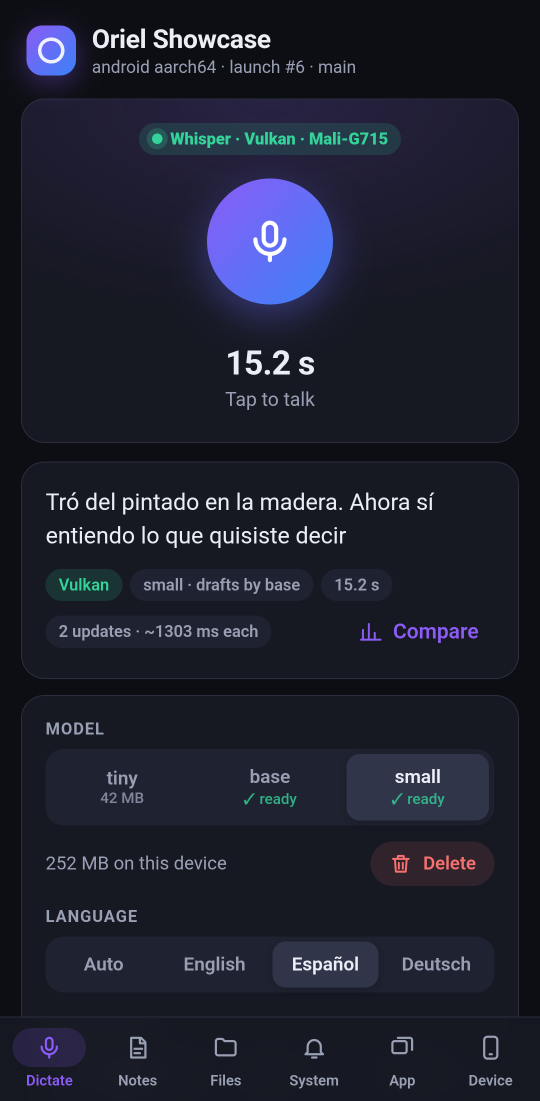
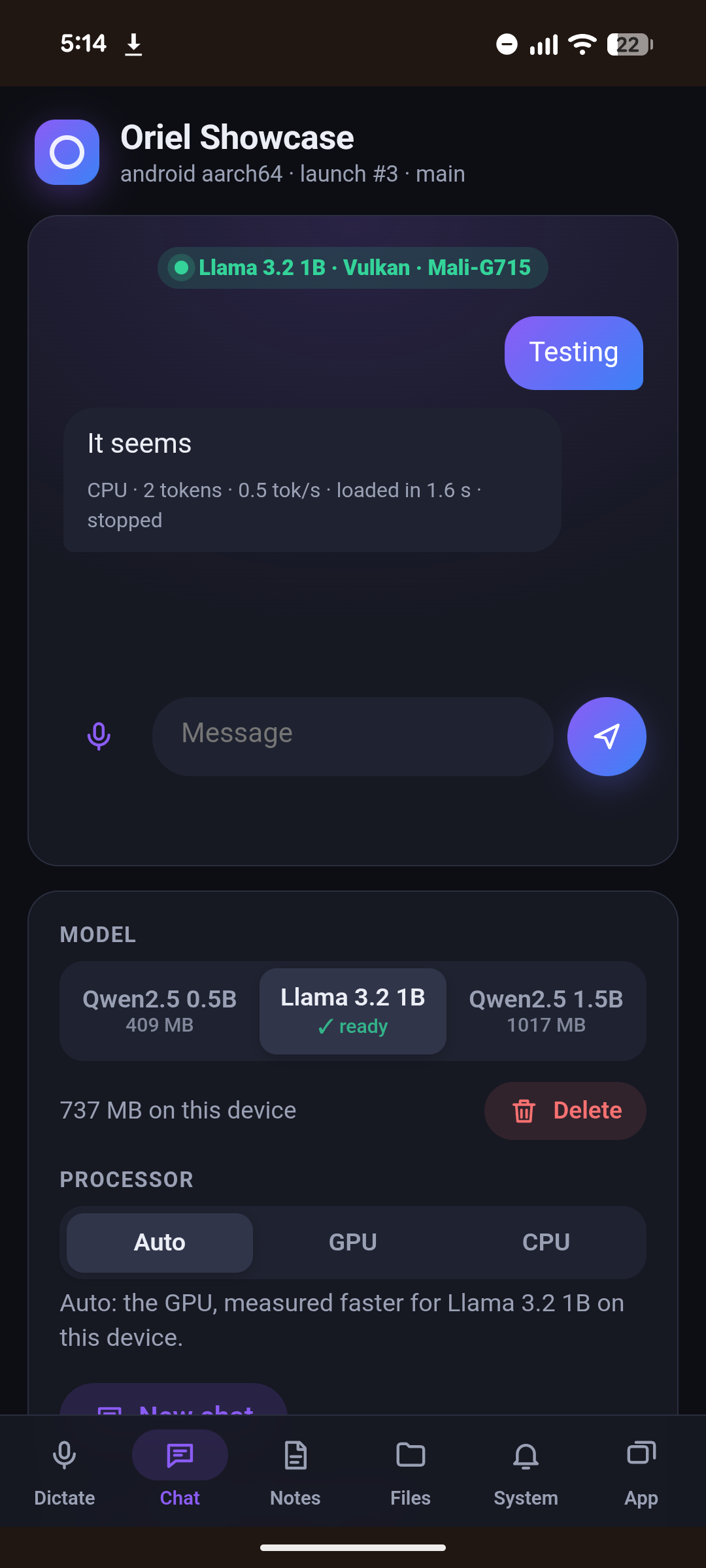
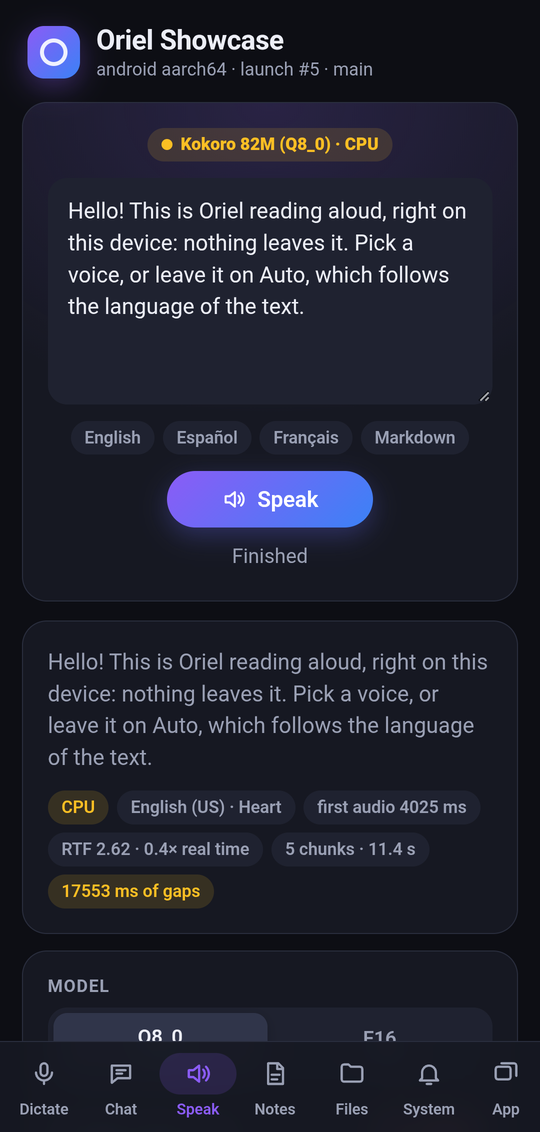
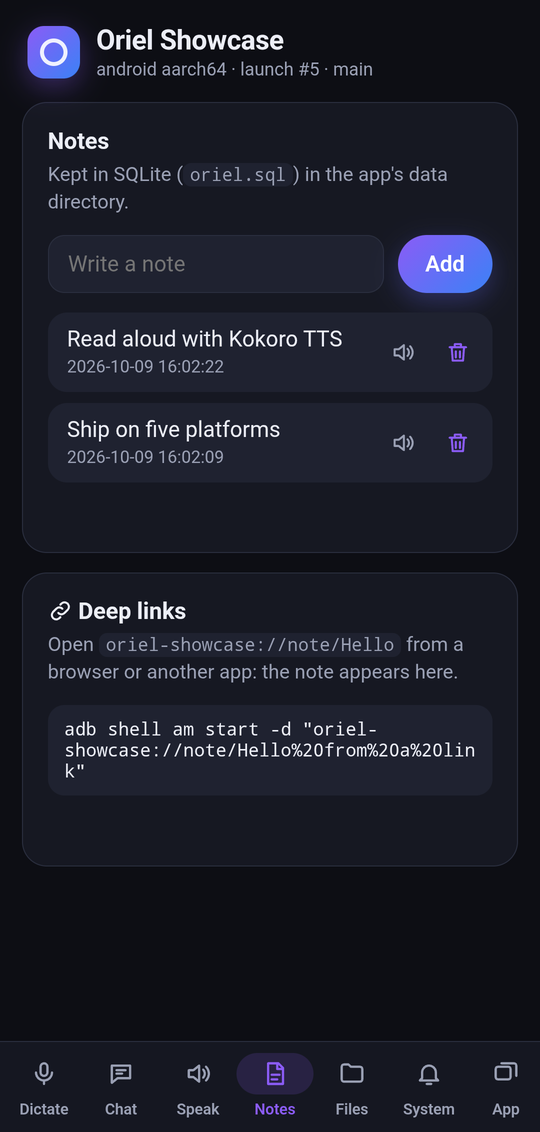
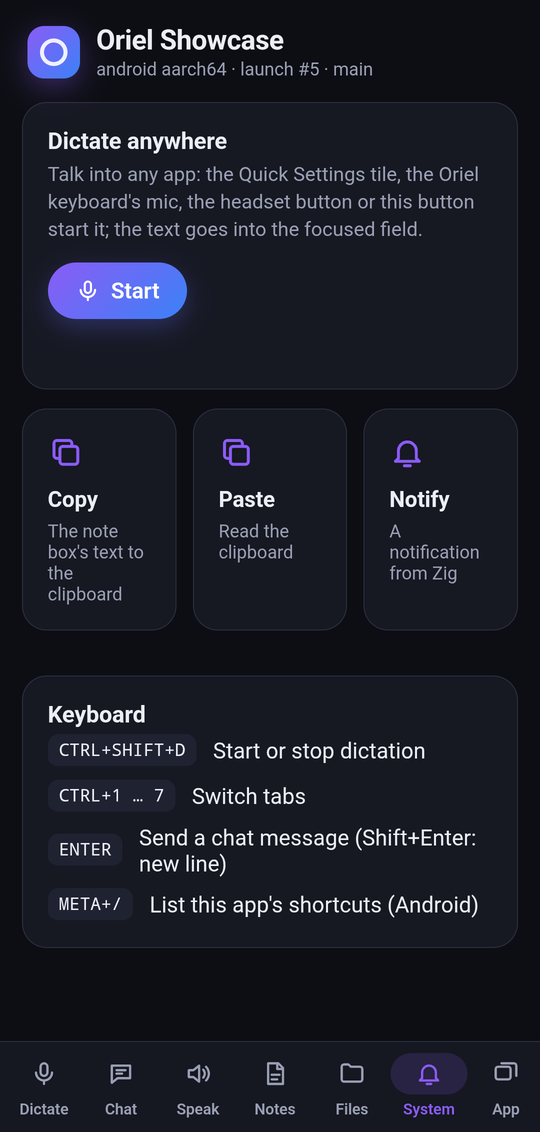
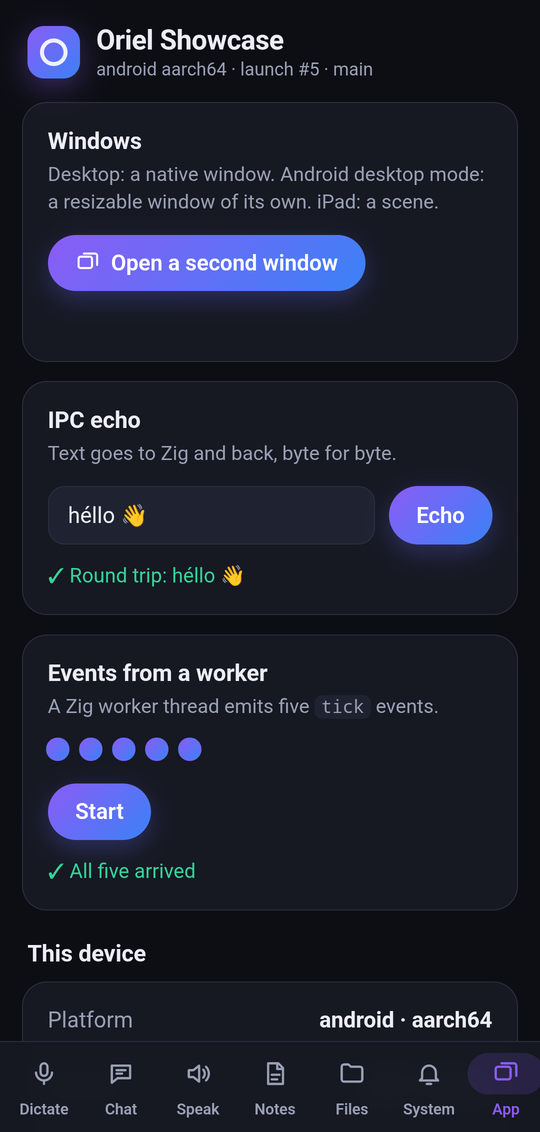
On Android: Dictate and Chat on a Pixel, the rest on a Poco X3.
The same app on the native renderer, on Linux:
[]($image.siteAsset(‘screenshots/native-showcase.png’).alt(‘The showcase drawn by the native renderer on Linux’))
The showcase README has the build steps for each platform, the GPU options (-Dggml_vulkan, -Dggml_cuda, -Dggml_opencl) and the headless checks (--chat, --transcribe, --say).
smoke
examples/smoke: opens a window whose page calls into Zig to run the check of every enabled module (oriel.checkAll, see Modules), then lists each check with what it verified. One run tells you Oriel works end to end on your machine, not just that it compiles.
- Tray and menus: dbusmenu icons, layout and actions.
- Updater: Ed25519-verified manifests; tampered copies rejected.
- Data: SQLite (with sqlite-vec), the store, file watching.
- Desktop: dialogs, notifications, global shortcuts, clipboard, typed input into other apps, deep links, the second-instance forward.
- Webview and IPC: page fetch,
invokeround trips, async commands from worker threads, declared permissions, and an iframe from another origin that must not reach IPC. - Isolation: built with the isolation hook by default;
-Disolation=falseruns the same checks without it.
cd examples/smoke
zig build
./zig-out/bin/oriel-smoke              # the window
./zig-out/bin/oriel-smoke --auto-quit  # quits once the page reports; exit 1 on failure
./zig-out/bin/oriel-smoke --check      # headless: run the checks, print them, exit
CI runs it on every platform, so a red row names the module that broke.
[]($image.siteAsset(‘screenshots/smoke.png’).alt(‘The smoke test app: a table of green OK rows, one per module, each with what it verified’))
breakout
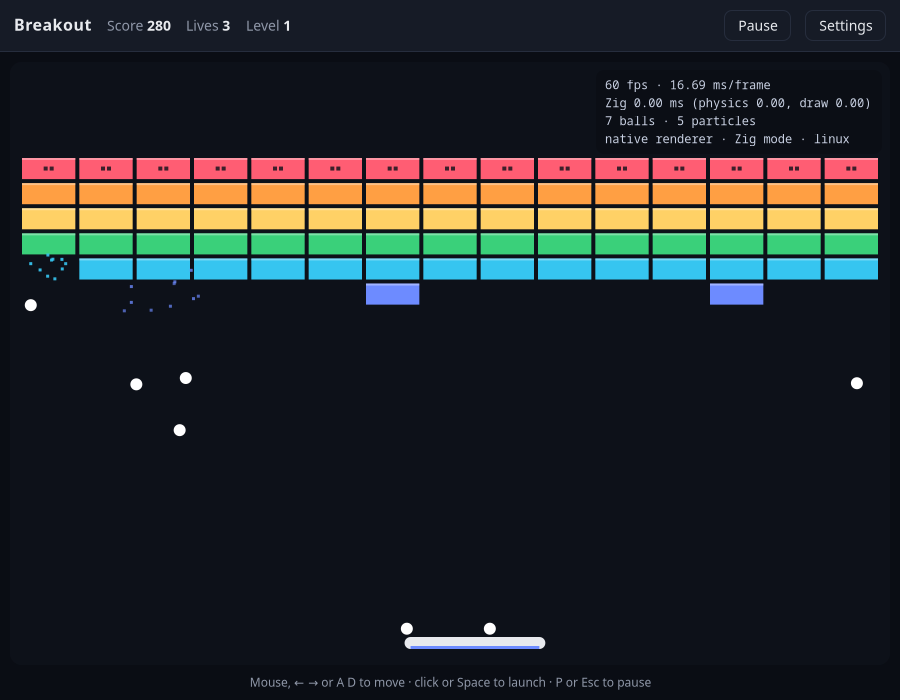
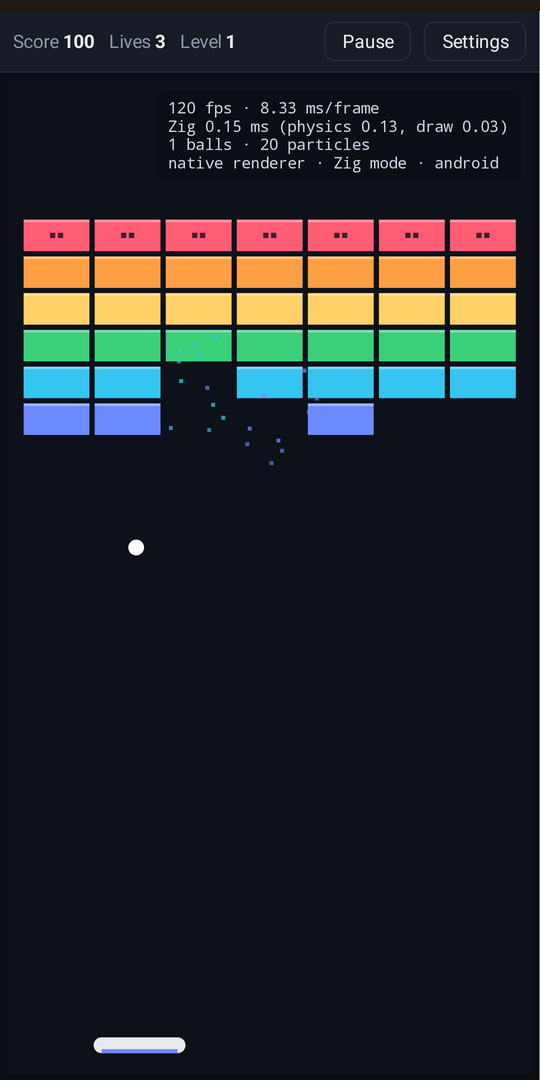
examples/breakout: Breakout for comparing the two renderers. The board is a <canvas> drawn at the display’s pixel ratio; the score, overlays, settings and stats around it are HTML and CSS, so the native widgets get exercised too.
- Two modes on the native renderer (Settings → Renderer mode): JS steps
physics.jsand draws withdraw.jseach frame; Zig runs the same rules and drawing ingame.zigthroughoriel.canvas, with no JavaScript per frame. The page keeps the HTML and the input. - Settings: balls per launch (1 to 500), brick rows, particles, autoplay and a stats overlay with the frame rate, frame time and JavaScript time per frame.
- Controls: mouse or arrow keys (or A and D) on the desktop, click or Space to launch, P or Esc to pause; drag and tap on a phone.
At 500 balls:
| Native, Zig | Native, JavaScript | WebView | |
|---|---|---|---|
| Windows 11 laptop, 144 Hz | 142–144 fps | 59–75 fps | 103–116 fps |
| Android phone, 120 Hz | 120 fps (0.35 ms of Zig a frame) | 63 fps | 120 fps |
| Linux desktop, 180 Hz | 180 fps | 88–108 fps |
cd examples/breakout
zig build                                   # WebView
zig build -Dnative_ui -p zig-out-native     # native renderer
BREAKOUT_DEMO=500 BREAKOUT_MODE=zig ./zig-out-native/bin/oriel-breakout   # autoplay, logs fps
BREAKOUT_DEMO=<balls> starts in autoplay with that many balls a launch and logs the frame rate every 2 s; BREAKOUT_MODE is js or zig.
system-monitor
examples/system-monitor: a live system monitor. The page is the same everywhere; a sampler per OS fills it, with no subprocesses: /proc and /sys on Linux, NT and Win32 calls on Windows, Mach, libproc and sysctl on macOS. It renders in the WebView or the native renderer, and hides what an OS doesn’t report.
- Summary tiles: CPU, memory, processes and threads, uptime, each with a 60-sample sparkline.
- Panels: system information, CPU per core with frequency and temperature, memory and swap, disks with I/O rates, network rates, and hwmon sensors (Linux), each one shown or hidden from Settings with the sampling interval (1, 2 or 5 s).
- Processes: the 256 busiest, in a virtual table; filter by name, user, command or PID, sort by CPU, memory, threads, PID or name; Terminate (
SIGTERMafter a confirmation; on WindowsWM_CLOSEto its windows) and Copy (throughoriel.clipboard).
The page talks to Zig through six typed commands: sample, system_info, command_line, terminate_process, copy_to_clipboard and get_meta. Measured against the same app built with another native SDK, sampling is about three times faster and the native renderer build uses less memory and CPU; the numbers and method are on the comparison page.
cd examples/system-monitor
oriel run -Dnative_ui     # native renderer
oriel run                 # WebView
[]($image.siteAsset(‘screenshots/system-monitor.png’).alt(‘The system monitor on the native renderer: CPU, memory, processes and uptime tiles above a sortable process table’))
The native renderer on Linux, sampling every 2 s.
render-bench
examples/render-bench: one static page, timed in the WebView and in the native renderer. It builds and updates rows of styled text (each followed by a layout read), animates 200 boxes with requestAnimationFrame, runs a <canvas> game loop (also in Zig through oriel.canvas, zig_balls.zig), and records memory. A Measure power button times idle, animation and canvas scenarios against the battery.
On a 180 Hz Linux desktop (2026-10-03, median of 3 runs):
| native | WebView | |
|---|---|---|
| startup → first frame | 69 ms | 431 ms |
| build 1000 / 3000 rows | 6.4 / 18.6 ms | 20 / 69 ms |
| update 1000 / 3000 rows | 2.8 / 8.5 ms | 9 / 40 ms |
| animate 200 boxes | 165 fps | 62 fps |
| canvas 200 / 1000 balls | 180 / 91 fps | 62 / 62 fps |
| memory at start (PSS) | 110 MB | 491 MB |
cd examples/render-bench
zig build -Doptimize=ReleaseFast                                 # WebView
zig build -Dnative_ui -Doptimize=ReleaseFast -p zig-out-native   # native renderer
RENDER_BENCH=1 ./zig-out-native/bin/oriel-render-bench           # one JSON line, then exits
[]($image.siteAsset(‘screenshots/render-bench.png’).alt(‘Render bench in the WebView: row timing results and animated boxes’))
Recordings of both renderers running it side by side are on the native renderer page.
canvas-demo
examples/canvas-demo: a small page for the 2d canvas, with no commands on the Zig side. Three canvases:
- Static: filled and stroked shapes, a rotated rectangle, a curve and centered text.
- Animated: balls moving on a
requestAnimationFrameloop, with the renderer and frame rate shown above. - Hostile: calls a browser shrugs off (extra
restore(),scale(0), a coordinate that overflows f32, aclearRectover a red background). They must not break the window, and the text after it must still draw.
cd examples/canvas-demo
zig build && ./zig-out/bin/oriel-canvas-demo
zig build -Dnative_ui -p zig-out-native && ./zig-out-native/bin/oriel-canvas-demo
[]($image.siteAsset(‘screenshots/canvas-demo.png’).alt(‘The canvas demo in the WebView: shapes and text, moving balls, and the hostile canvas still drawing’))
Built with Oriel
GhostPen (website): AI text editing anywhere on the desktop. Select text in any app, press a hotkey, pick an action; the result is pasted back. It runs AI models itself (llama.cpp compiled in, on the GPU with Vulkan or CUDA on Linux and Metal on macOS), captions what the computer plays and takes dictation (whisper.cpp), on Linux, Windows and macOS. Ported from Tauri; its README compares the two (build time, binary size, dependencies, memory).
[]($image.siteAsset(‘screenshots/ghostpen.png’).alt(‘GhostPen: the Playground and the menu, running a built-in model’))